The share kit
The share kit is your question wall made into something to post: a short video, moving, made from the wall itself. Each one carries the link, so whoever sees it knows where to answer.
Where it is
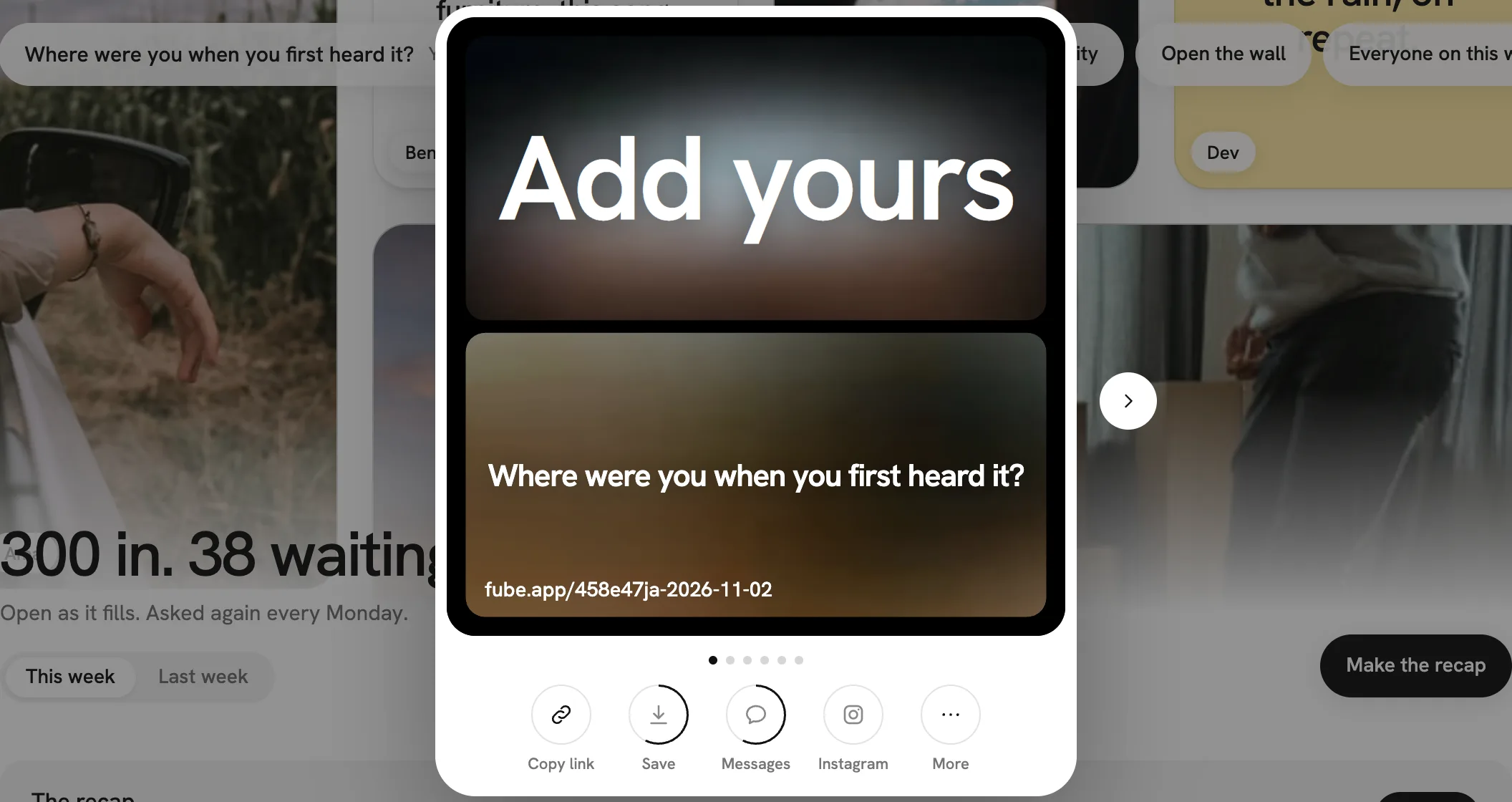
Press Share at the top of the wall. A small window opens over it, with the first video already moving in it, and five small buttons under it. What you see is what you send. Until the first answer comes in, the same window stands open on your page for the wall. Send the link, at the top of that page, is the link alone, with Copy, Message, Email, WhatsApp and QR code.
Swipe to the next one. On a computer, use the arrows beside it, or the arrow keys. Press outside it, or Escape, to close it.
What you get
You have these from the moment the wall is up, because a question wall has no day it opens:
- Add yours. Three tiles in a column on black: Add yours, your question and the link, each tile changing colour on its own clock.
- Everyone. A short edit of your wall's answers, cut hard, for a wall with at least 8 photos.
- In their words. Your answers' own lines, in tiles, a phrase at a time.
- A voice. A voice answer as a turning record, its groove cut from the real sound. The video itself is silent.
- Nothing but them. Photos alone in the order of their colour, with no words, gathering speed.
- The opening. Your question, big, over a photo or colour.
- Seventeen more, as your answers come in. Column, Spelled out, Bar, Scale, Feel the scroll, Thumbs, Showcase, Plate, Titles, Hit, Fan, Scatter, Stack, Letters, The grid, Columns and Piling in, each cut from your wall's own squares.
- Your poster. If you have peeled squares off this wall, your poster is last.
A wall that can't fill one isn't offered it, so a new wall starts with Add yours and The opening.
How it sends
- Copy link copies the link and reads Copied.
- Save downloads the video on a computer, and opens your phone's share sheet on a phone.
- Messages sends the video and your words through the share sheet, where Messages is. On a computer the words are copied and the video downloads.
- Instagram turns it to a story's tall shape, copies the link, and sends the story video. Add it to your story, then paste the link into the app's own link sticker.
- More has Share on a phone, WhatsApp, Email and The words.
The videos are made on your own device as you watch, the next ones behind the first, and a thin ring round a button fills while its video is on the way. On a computer you can press anyway and it comes when it is ready. On a phone, press again when the ring has gone.
The words start as your question and the link. Press More, then Change beside The words, to write your own. They stay as you swipe, and Reset brings back the ones written for you.
From one answer
Open an answer on the wall and press This one. The same window opens with Yours and Yours, in a column, drawn from that answer, with the name of whoever gave it.