Sound on the wall
A wall can make two quiet sounds: soft and physical, like paper and a fingertip on wood, never like an alert. They're off until you turn them on.
Turning it on
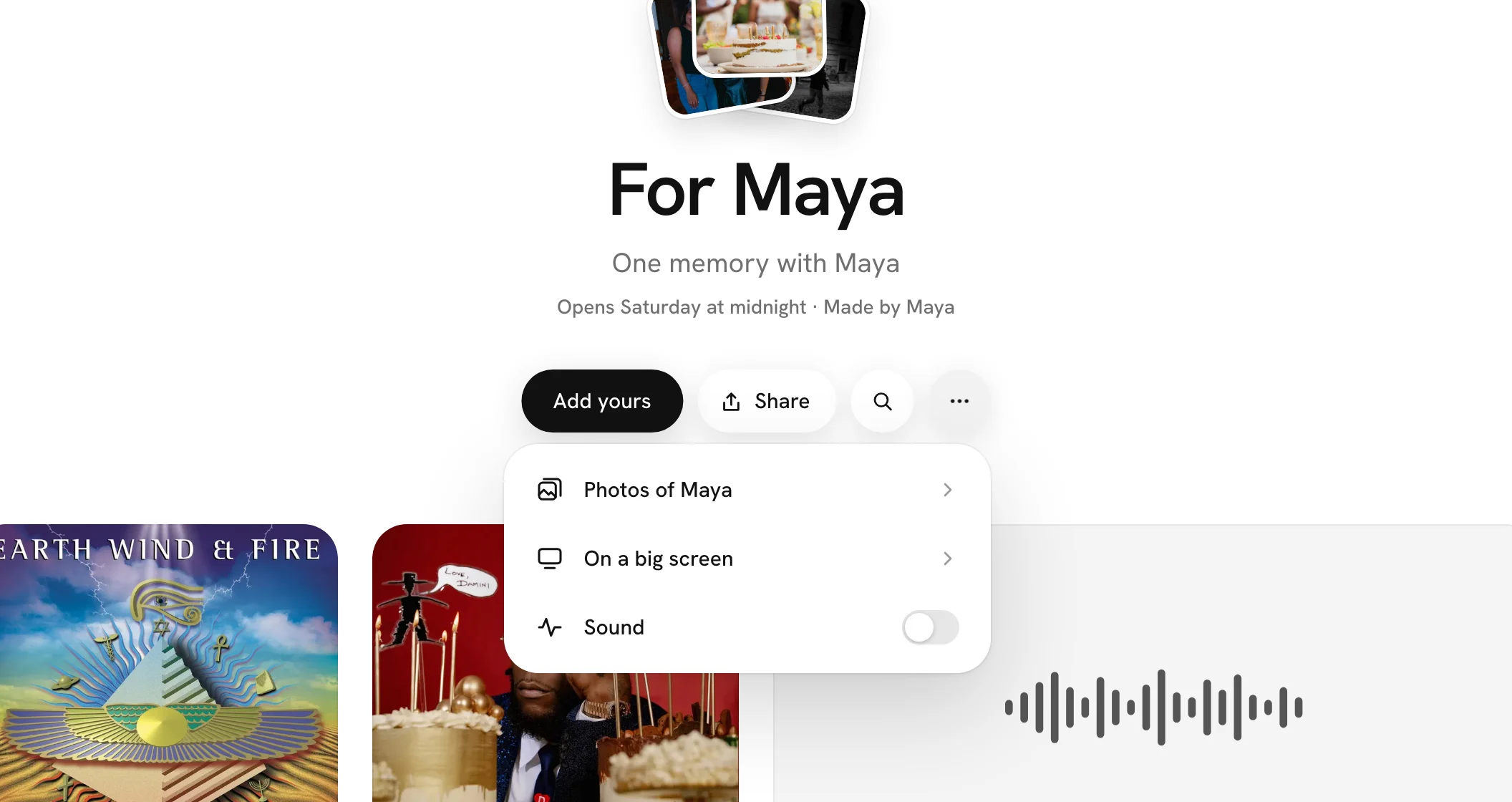
Sound is a row with a switch in the wall's card. Press the three dots at the top of the wall, or the wall's name once you have scrolled, and press Sound to turn it on, and again to turn it off.
On a question wall there are no three dots: press the question, at any point down the page.
Your choice is remembered in this browser on this device, so every wall you open here starts the way you left it. Nothing plays until you press or tap something on the page, even with sound on.
What you hear
Paper. When someone adds a square while you're watching, it makes a soft sound as it lands where you can see it.
A tick. Opening a square makes one small wooden tap. On a phone that can, it also gives one light buzz. Closing a square makes no sound.
That's all. Scrolling the wall makes no sound at any speed, and on your own screen a voice note is only heard when you open it, in full, on its own.
When it stays quiet
While a voice note, video or song is playing, the wall makes no sound of its own, so nothing talks over anyone. Scrolling, hovering, pressing pills, typing, the countdown before a wall opens, replies and notifications never make a sound. A wall on the big screen makes neither sound either: there, with Sound on, a voice note plays as it comes forward.
The wall's card is out of reach while a square is open or you're adding yours, and comes back after.